Malaysia began rolling out e-invoicing in phases on August 1, 2024. If you run a business, you may wonder which record fits your transactions: an individual, consolidated, or self-billed e-invoice. The right choice depends on what happened, who must issue the document, and whether the buyer needs a separate record.
IRBM guidance calls for 55 fields, including supplier, buyer, product or service, tax, and payment details. The data follows a structured format, often XML or JSON. That makes it important to match the invoice to the transaction—not just pick the easiest option.
This guide explains five categories: standard, consolidated, self-billed, adjustment notes, and consolidated self-billed records. It connects each type with its purpose, issuer, and relevant compliance timing under the IRBM framework. You’ll also see how invoicing choices support clear tax records.
Looking up the types of e-invoice in Malaysia can be a useful first step, but rules may change. This article is for general information, so check current IRBM guidance before applying a requirement to a specific transaction.
Key Takeaways
- Choose the record based on the transaction and who issues it.
- A buyer’s need for an individual record can affect the choice.
- IRBM guidance identifies 55 data fields for an e-invoice.
- The guide covers standard, consolidated, self-billed, adjustment, and consolidated self-billed records.
- Check current IRBM guidance for rules and compliance timing.
What e-Invoice Types Malaysia Businesses Need to Know
An e-invoice is a digital document that records a transaction between a supplier and a buyer. Unlike a paper invoice, it uses a structured, machine-readable format. This lets business software read and process details with less manual work.
The Inland Revenue Board (IRBM) sets 55 data-field requirements. They cover supplier and buyer details, goods or services, tax, and payment information. Clear fields help businesses record transactions in a consistent way.
How Structured Records Support Tax Compliance
Files usually use XML or JSON. After submission, IRBM validates each record and assigns a unique identifier and validation link. These features make validated e-invoices easier to track in the system.
- Better visibility: Near-real-time data access helps tax authorities review business activity and reduce potential fraud.
- Right record, clearer process: E-invoicing includes standard, consolidated, self-billed, adjustment, and consolidated self-billed documents. Use current guidelines to match the document to the transaction.
For e-invoice Malaysia requirements, confirm the correct record before issuing it. The right choice supports compliance and gives both parties a clearer transaction trail.
Standard e-Invoices for Buyer-Seller Transactions
A standard record gives both sides a clear account of a sale. It suits a single buyer-seller transaction when an electronic record is required.
When Businesses Issue a Standard e-Invoice
A supplier issues one when selling goods or providing services to a buyer. This applies across common transaction settings:
- B2B: One business sells to another.
- B2C: A business sells to a consumer.
- B2G: A business supplies a government body.
What Transaction Details the e-Invoice Records
IRBM’s 55-field format captures supplier and buyer details, along with the goods or services sold, tax, and payment information. These details help each party keep a useful record.
Unlike consolidation, a standard document records one buyer-seller transaction rather than combining receipts. A validated record also supports accurate income and expense reporting and helps with compliance.
| Setting | Parties | Record shows |
|---|---|---|
| B2B | Business and business | Goods or services sold |
| B2C | Business and consumer | Sale to an individual buyer |
| B2G | Business and government body | Supply to a public entity |
Consolidated e-Invoices for Eligible B2C Sales
For a busy shop, one monthly record can replace a stack of small-sale receipts. A consolidated e-invoice combines eligible transactions when a buyer does not ask for an individual record.

When Suppliers Can Combine Receipts and Transactions
The supplier sends the summary to the Inland Revenue Board (IRBM) within seven calendar days after month-end. This deadline helps businesses plan their e-invoicing process and maintain tax compliance. The revenue board’s guidelines set eligibility by transaction, so check current requirements before combining invoices.
“A monthly summary saves paperwork only when the sale qualifies.”
Industries That Must Issue Individual e-Invoices
Some sectors face limits, including automotive, aviation, construction, luxury goods and jewelry, construction-material sellers, licensed betting gaming, and payments to agents, dealers, or distributors. A six-month relaxation period announced July 26, 2024, temporarily widened consolidation options during the transition. It was not a permanent rule; verify whether each seller must issue an individual document.
| Situation | Record approach | Timing or note |
|---|---|---|
| Eligible B2C sales | Combine receipts in one e-invoice | Submit within seven calendar days after month-end |
| Restricted sectors | Check if individual invoices are required | Follow current IRBM guidelines |
Self-Billed e-Invoices for Specific Transactions
Most sales records come from the seller, but some transactions follow a different path. Under specific circumstances set by the Inland Revenue Board, the buyer prepares the self-billed e-invoice. This process helps capture transactions when the usual supplier-issued document does not apply.
When the Buyer Takes Responsibility for Issuing the Invoice
The buyer creates the document and records key details for tax and compliance purposes. Check the current guidelines before issuing one, since the rule depends on the transaction, not simply on what feels convenient.
Common Scenarios, From Foreign Suppliers to Agent Payments
Self-billed e-invoices may apply to payments to agents, dealers, or distributors, and to purchases from foreign suppliers. Other listed cases include profit distributions, e-commerce transactions, and payouts to betting and gaming winners.
A buyer may also issue one for goods or services bought from individual taxpayers who are not conducting business, but only when another category does not cover the transaction. Some interest payments are excluded, such as interest paid by an employee to an employer. Review each case before creating invoices, especially when conducting business across different transaction types.
Credit, Debit, and Refund Notes for Invoice Adjustments
When a transaction changes after an invoice is issued, an adjustment record can keep both parties’ accounts clear. Each note should identify the original invoice, state the reason, and show the adjusted amount.
Credit Notes for Reducing the Amount Owed
A credit note lowers the buyer’s balance. A supplier may issue one for returned goods, a pricing error, or damaged items. This credit keeps the tax record aligned with the corrected sale.
Debit Notes for Adding Charges
A debit note adds an amount to an earlier invoice. It can cover extra goods, a quantity error, or an earlier undercharge. The supplier records the added debit and its reason.
Refund Notes for Returning Money to the Buyer
A refund note confirms money returned to the buyer, such as after defective goods come back or an order is canceled. It helps both sides track the refund and keep records accurate.
A buyer may request rejection, and the supplier may cancel through the MyInvois Portal within 72 hours of validation. After that window, cancellation is not allowed; issue a new adjustment e-invoice instead. Use the right record to support e-invoicing compliance.
| Adjustment | Purpose | Example |
|---|---|---|
| Credit note | Reduce the amount owed | Returned or damaged goods |
| Debit note | Add a charge | Extra goods or undercharging |
| Refund note | Record money returned | Canceled order refund |
Consolidated Self-Billed e-Invoices for High-Volume Transactions
A consolidated self-billed e-invoice combines several buyer-issued records for eligible transactions in one document. It can simplify monthly reporting, but businesses should first check whether current IRBM guidelines allow consolidation.
Insurance Payouts to Individual Policyholders
An insurer may group monthly payouts to individual policyholders who are not conducting business, if the rules permit it. In the sample, the supplier appears as “General Public,” with supplier TIN EI00000000010. Keep each transaction’s details clear in the records.
Submit and validate consolidated self-billed e-invoices through the MyInvois Portal within seven calendar days after month-end. A self-billed invoice must still contain accurate information to support compliance.
The six-month relaxation period offered temporary flexibility. The supplied guidance says Phase 1 taxpayers must issue individual self-billed e-invoices from February 1, 2025, except for specified permitted cases. Check current rules before combining records.
| Scenario | Record approach | Key detail |
|---|---|---|
| Eligible policyholder payouts | Combine permitted monthly transactions | Supplier: “General Public”; TIN: EI00000000010 |
| Consolidated submission | Submit and validate through MyInvois | Within seven calendar days after month-end |
How the Main e-Invoice Types Differ
Compare the issuer and purpose to choose the right record. A standard e-invoice documents one sale, while a consolidated record groups eligible sales. The transaction and responsible party guide the choice.
- A supplier issues a standard record for a buyer-seller transaction.
- A supplier groups eligible retail receipts when a buyer does not need a separate record.
- A buyer prepares consolidated self-billed e-invoices only for specified cases, such as eligible insurance payouts.
Adjustment notes serve a different role: they update an existing invoice. A credit note reduces the amount due; a debit note adds a charge; a refund note records money returned. Keep the original transaction details linked to each change.
This quick comparison shows how the main types differ by issuer, purpose, and example. Check current IRBM guidance before grouping records or issuing a self-billed e-invoice.
| Record | Issuer | Purpose | Example |
|---|---|---|---|
| Standard e-invoice | Supplier or seller | Record one sale | Single buyer purchase |
| Consolidated e-invoices | Supplier | Group eligible transactions | Retail receipts |
| Consolidated self-billed e-invoice | Buyer | Group permitted purchases | Individual policyholder payouts |
| Credit, debit, or refund notes | Supplier | Adjust a prior invoice | Lower, add, or return an amount |
MyInvois Validation, Submission, and Correction Timelines
Clear deadlines help businesses keep records in order and support tax compliance. The inland revenue board (IRBM) validates each e-invoice, then assigns a unique ID and validation link. Use these details to track a document in the system.
Submit Consolidated Records on Time
Send consolidated e-invoices, including eligible consolidated self-billed records, within seven calendar days after month-end. This deadline applies to the covered transactions. Build it into your e-invoicing process, and check current guidelines for any changes. A past relaxation period does not mean a relaxation still applies.
Correct Errors Within the Allowed Window
A buyer may request rejection, and the supplier can cancel through the MyInvois Portal within 72 hours of validation. After that, the invoice cannot be canceled. Use the MyInvois Portal to review status and act promptly. For later changes, issue the right credit, debit, or refund note. The revenue board’s guidance can help your business select the proper record.
| Action | Deadline | Next step |
|---|---|---|
| Submit eligible consolidated invoices | Within 7 calendar days after month-end | Check submission status |
| Request rejection or cancel | Within 72 hours of validation | Buyer requests; supplier cancels |
| Adjust a validated record | After the 72-hour window | Issue an appropriate adjustment note |
How to Choose the Right e-Invoice for Your Business
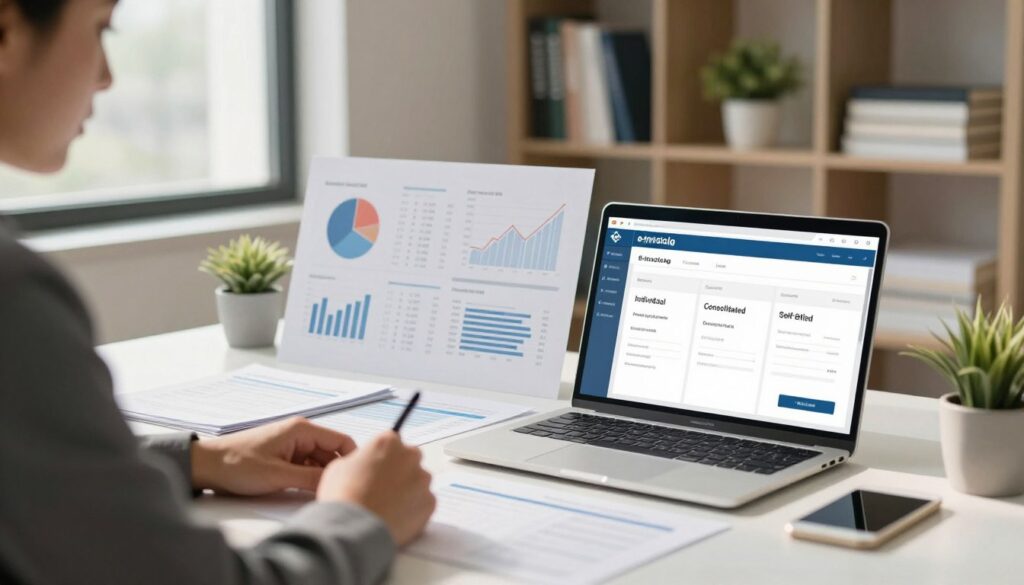
A reliable choice starts with a quick review of the sale and its paperwork. First, identify whether you have a standard sale, an eligible B2C summary, a self-billed case, or a change to an existing invoice.
Check the Transaction, Issuer, and Current IRBM Guidelines
Next, confirm who must issue the record. The supplier or seller usually handles standard and consolidated e-invoices. The buyer prepares a self-billed e-invoice only in specific circumstances. A credit note, debit note, or refund record can document a later adjustment.
Before grouping transactions, check industry limits. Restrictions may apply to automotive, aviation, construction, luxury goods, licensed betting and gaming, and agent-related payments. Current Inland Revenue Board guidelines explain the requirements; a past relaxation may no longer apply.
Businesses can issue e-invoices through the MyInvois Portal or an API. Confirm the details and format in the system. Consolidated submissions are due within seven calendar days after month-end. Cancellation is limited to 72 hours after validation. Choose a workflow that supports accurate records and tax compliance.
| Situation | Responsible issuer | Key check |
|---|---|---|
| Standard sale | Supplier | Record goods or services sold |
| Eligible B2C receipts | Supplier | Confirm industry eligibility |
| Specified purchase | Buyer | Check self-billing rules |
| Invoice adjustment | Supplier | Use the suitable adjustment note |
Conclusion
Choose an invoice type by checking the transactions, the issuer, and whether the buyer needs a separate record or qualifies for a consolidated one. A standard e-invoice, consolidated records, and self-billed e-invoices each serve a distinct purpose. Adjustment notes document later changes.
Keep two deadlines in view. Submit eligible consolidated records within seven calendar days after month-end, and cancel only within 72 hours of validation. After that window, a credit, debit, or refund note can document a change.
Before invoicing, check current IRBM guidance and confirm any permitted exception. For businesses that provide goods or services, matching records to transactions supports accurate reporting and reliable e-invoicing in the MyInvois system. Verify the current rules, then choose the record that fits each transaction.