
Malaysia’s move to structured invoicing is changing how companies send billing data. Firms can no longer rely on emailed PDFs. LHDN requires validated, structured invoice data via MyInvois before records reach buyers.
The mandatory rollout reaches all taxpayers on 1 July 2025, after phased stages. That deadline means teams must check data fields, like TIN and totals, and fix common errors early.
This shift affects sales, admin, and operations—not just finance. People across the company shape invoice quality. Choose whether to use the MyInvois portal, integrate via API, or work with a certified provider that links to the system.
Acting now reduces rejections, speeds payments, and cleans audit trails. Waiting raises the risk of rejected submissions and slow reconciliations. This guide will walk through validation needs, timeline steps, and practical prep tips so your systems and staff are ready.
Key Takeaways
- Structured data submission to LHDN is mandatory before sharing invoices.
- Full rollout is set for 1 July 2025; phased steps come first.
- Cross-team coordination improves data quality and lowers rejections.
- Decide between portal use, API integration, or a connector provider.
- Early alignment cuts errors, speeds payments, and aids audits.
Why Malaysia Is Moving Away From Excel Invoices
When invoices are built by hand, inconsistent formats and missing fields slow everything down. Manual invoicing breeds varied templates, scattered numbering, and fields that differ by customer.
Formatting, errors, and slower month-end
Small mistakes—wrong tax amounts, missing buyer details, or mismatched totals—cascade into bigger reconciliation issues. These errors force more back-and-forth with clients and extend approval cycles.
The result is real operational cost: delayed payments, extra staff hours, and longer closes. Manual data handling also increases the chance of a transaction slipping through incomplete.
Better audit trails and tax transparency
Structured e-invoicing turns loose files into consistent, traceable records. When invoice data is validated before submission, tax authorities get cleaner data and less room for manipulation.
For businesses, that means fewer disputes, clearer records, and more predictable reporting timelines. Aligning creation and compliance reduces friction and improves overall process reliability.
What E-Invoicing Means Under LHDN and the MyInvois System
D. “Invoices must now be created as machine-readable data and validated before distribution to buyers.”
Under LHDN, e-invoicing requires structured invoice data that the MyInvois system validates before any buyer sees it. Emailing a PDF or JPG does not meet the new rules. The authority expects XML or JSON submissions, not image or document files.
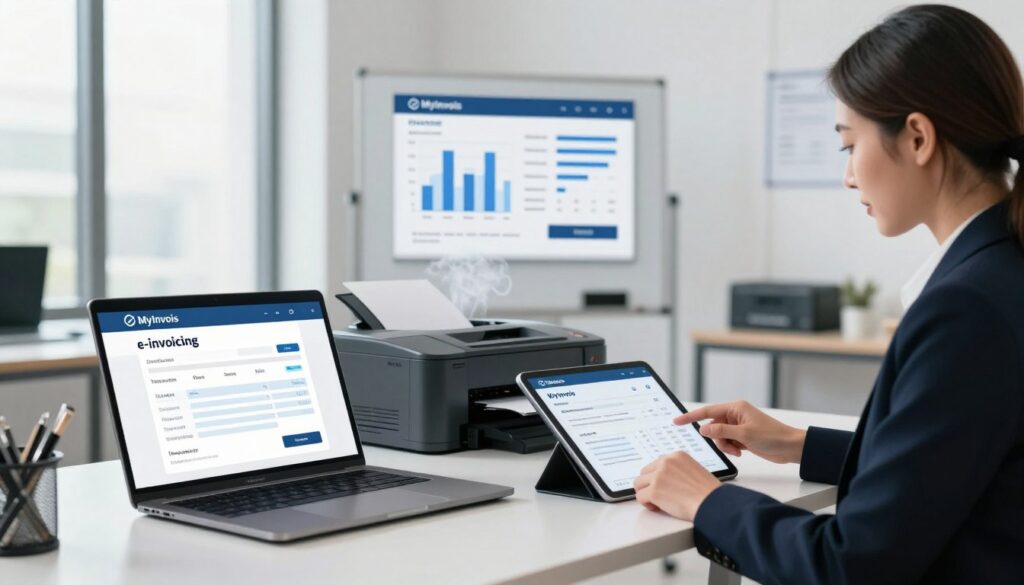
E-invoicing is not a PDF
The biggest misconception: a visual invoice is not the same as an e-invoice. Your information must be sent as structured data and pass validation first. Only then can the invoice be shared with the buyer.
Where MyInvois fits
MyInvois acts as the validation gateway. It checks required fields, confirms identifiers, and creates a traceable status for each transaction. Use the myinvois portal for manual or bulk uploads, or integrate your system via API for real-time submission.
Core compliance concepts to know
- Required fields: correct buyer/seller IDs, totals, and tax elements.
- Validation outcomes: accepted or rejected with error codes to fix.
- Traceability: every accepted e-invoice gets a recorded status for audits.
- Format readiness: ensure your systems can output XML or JSON reliably.
Good data discipline at the point of sale reduces validation failures and speeds payment cycles.
Malaysia’s Mandatory E-Invoicing Timeline and Who Must Comply
Malaysia’s e-invoicing timeline lays out clear dates so teams can plan backward from each compliance milestone.
Phased rollout dates
Pilot: started 1 May 2024 to validate systems and processes.
Phase 1: effective 1 August 2024 for companies with annual turnover above MYR 100 million.
Phase 2: effective 1 January 2025 for companies with annual revenue between MYR 25 million and MYR 100 million.
Phase 3: effective 1 July 2025 when the requirement covers all other taxpayers.
How turnover bands change urgency
Larger companies faced earlier deadlines, so their implementation and testing came first. That gives small businesses and growing companies time to prepare.
SMEs should use the runway to clean master data, pick software, and run integration tests. Treat each phase as part of a wider project plan.
Who must comply
The Inland Revenue Board requires most registered entities and trading types to submit structured invoice data. Exemptions are limited, such as certain diplomatic missions and individuals not conducting commercial activity.
Practical checkpoint: confirm your turnover category, set internal milestones (software selection, data cleanup, testing, training), and notify customers and suppliers early.
- Plan backward from your phase date.
- Assign milestones for implementation, testing, and go-live rehearsal.
- Confirm category with the inland revenue board to avoid surprises.
From Excel to e-Invoice: What Business Owners Should Prepare Now
Map each touchpoint in your billing flow so gaps and handoffs become obvious.
Who creates invoices, who signs off, and how entries hit accounting? Draw a simple flowchart that tracks an invoice from sales entry through approval, submission, and posting. This reveals manual handoffs that cause delays and validation failures.
Identify master data gaps
Check customer and supplier records for missing identifiers, inconsistent addresses, and especially missing TINs. Missing buyer IDs are a common cause of rejected submissions.
Standardize templates and reduce errors
Make invoice fields uniform: item lines, totals, taxes, and invoice numbers. Clean numbering logic so every document is traceable across sales, finance, and audit records.
Decide handling for B2B, B2C, and consolidated scenarios
Choose clear rules: direct e-invoice for B2B, and either receipts or a consolidated monthly submission for consumer sales. Test each path for validation outcomes and accounting posting.
Do this next: create a readiness checklist that prioritizes data cleanup, then workflow redesign, and finally system choice. Test with sample transactions and monitor validation results before go-live.
Choose the Right System: MyInvois Portal, API Integration, or an E-Invoicing Provider
Your choice of system affects how smoothly invoice data moves from sales to tax authority records.
When the MyInvois portal fits
The myinvois portal is free and ideal for low-volume work. Use it for manual entries or spreadsheet uploads when transactions are few.
It keeps costs down, but manual steps can slow teams if volume grows.
When API integration makes sense
System-to-system integration links your ERP or accounting software for real-time submission. This automation reduces copy-paste errors and speeds validation responses.
Expect higher upfront implementation effort, but lower ongoing staff time and fewer rejections.
Key selection criteria
- IRBM compliance: confirm the software or provider follows MyInvois rules.
- Scalability & support: ensure the solution grows with transaction volume.
- Security: check data handling and access controls.
Format readiness and integrations
Your chosen system must produce XML or JSON for submission — PDFs or JPGs are not acceptable.
Verify connections to accounting ledgers, ERP item masters, POS sales data, and payment status to reduce reconciliation work.
Procurement tip: ask providers how they manage rejections, cancellations, and credit/debit notes and how they keep the implementation up to date with rule changes.
Redesign Your Invoicing Process to Reduce Errors and Save Time
Design your invoicing flow so validation happens early, not as a post-issue fix.
Capture required fields at the point of sale so compliance is “built in.” That means collecting buyer IDs, addresses, and tax elements when the order is taken. Doing this avoids last-minute data hunts and rejected submissions.
Automation opportunities speed work and cut mistakes. Auto-generate invoices from sales orders, compute tax consistently, send automated reminders, and track validation status in one place.

Team readiness and role-based training
Train sales to capture accurate buyer details. Train finance to handle exceptions and review tax entries. Train admin to maintain templates and numbering rules.
Mini playbook for exceptions
- When an invoice is rejected, read the error code, correct the field, and resubmit immediately.
- Log rejection reasons to spot repeat problems and update templates or training.
- Keep a quick checklist for common fixes: missing TIN, mismatched totals, or wrong currency.
Practical steps: run a short internal pilot for a week or two. Run parallel invoices and measure error rates, time saved, and the number of resubmissions. Use those results to refine steps and scale the automation.
“Build controls where work starts — you save time and protect compliance later.”
Record-Keeping, Security, and Compliance Controls You’ll Need in Place
Keep clear archives and strong controls so every invoice stays traceable for audits. Good storage and simple rules cut the time needed to find records and prove compliance.
Archiving rules and basic expectations
Store e-invoices digitally for at least seven years. Both sender and recipient must keep searchable records so auditors can retrieve them quickly.
Ask your provider about backup frequency, access controls, and how fast information can be produced on request.
Digital certificates and secure transmission
A digital certificate verifies who issued an invoice and protects data in transit. Use certificates to prevent theft or alteration of financial information.
Operational controls and timing rules
Define who can issue, cancel, or correct invoices and log every change. Cancellation or buyer-requested rejection is permitted within 72 hours after validation.
After 72 hours, adjust via credit, debit, or refund notes to keep transaction trails intact.
| Control | Why it matters | What to ask your provider | Target |
|---|---|---|---|
| Archival storage | Proves transactions during audits | Retention period, retrieval time | 7 years |
| Digital certificates | Identity and data security | Certificate management, renewal | Always current |
| Change logs | Traceability of edits | Audit trails, access controls | Immediate logging |
| SOP updates | Keeps processes aligned with LHDN | Update schedule, owner | Ongoing |
Stay proactive: assign a person to monitor LHDN updates, update SOPs, and train staff when rules change. Non-compliance can lead to enforcement under Section 120(1)(d) of the Income Tax Act 1967, including fines and possible imprisonment—so treat compliance as core to implementation.
Conclusion
Start by treating invoicing as a data process, not just a document task. Moving from spreadsheets to compliant e-invoicing is about cleaner data, clearer processes, and the right software choice.
Malaysia’s phased deadline (full rollout 1 July 2025) adds urgency for small businesses and companies. Use this guide to prioritise implementation tasks well ahead of that date.
Next steps: map workflows, fix customer and supplier master data (including TINs), standardize fields, test end-to-end, and train teams. Choose the myinvois portal for low volume or seek API integration or an e-invoicing solution for scale and tighter controls.
Link integration with accounting and payment systems to cut reconciliation time and keep records accurate. Early preparation reduces rejections, speeds cash flow, and makes compliance routine rather than disruptive.