Ready early, don’t scramble. This guide shows how to avoid a common compliance trap by preparing before deadlines hit. You’ll learn what real e-invoice compliance looks like: systems, people, and records—not just a portal login.
Visibility matters. Malaysia’s connected CTC model and MyInvois can surface data about your company even if you have not yet issued a formal invoice. That creates a risk of mismatches that are easy to spot and hard to explain later.
This article gives a clear, step-by-step roadmap: obligations → process → system setup → staff workflow → exceptions → review readiness. Follow practical checks to reduce rework, rejection, and audit exposure as enforcement tightens.
Note: This is informational, not legal advice. The aim is to help local teams act early and avoid the “visibility trap” that surprises many firms.
Key Takeaways
- Start preparation now to avoid last-minute errors.
- Compliance covers people and processes, not only a portal account.
- Connected systems can expose records before you submit an invoice.
- Follow the roadmap to cut rework and reduce audit risk.
- This guide informs operational readiness, not legal strategy.
Why waiting is the real risk in e-Invoicing Malaysia
Delaying rollout shifts routine setup into an urgent, high-risk sprint. When teams push implementation, testing, training, and data cleanup get squeezed into the busiest months. That creates avoidable pressure and raises the chance of errors.
Short windows mean more mistakes. Rejected or canceled documents slow buyer acceptance and harm cash flow. Disputes take time to resolve and delay collections.
How “I’ll do it later” turns into a compliance and cash flow problem
Delays force manual workarounds, duplicate entry, and hurried corrections. Those steps increase error rates and rework, which triggers reviews.
Why enforcement can start before you think you’re “in scope”
Remember: a review framework and system analysis exist now. Selection does not rely on your rollout status. Other parties’ records can expose your transactions early.
- Compressed testing: less time for validation and reconciliation.
- Operational risk: more manual fixes and duplicate data.
- Control point: treat this as a business process project, not only an IT change.
Next: in a connected ecosystem, buyer submissions can surface your records before you issue anything.
The visibility trap: you can be in LHDN’s system without submitting anything
Buyer-side submissions can place your company into IRBM records even before you send an invoice. When a client issues a self-billed document, a transaction record is created in LHDN’s system.
What happens when a customer issues a self-billed e-invoice to you
The buyer submits, IRBM validates, and your business name appears in an official entry. That amount becomes traceable and linked to your tax profile.
How buyer-side data creates seller-side exposure
Visible records beat paperwork. If your books show a different amount, date, or tax treatment, a mismatch is easy to spot. Structured data makes cross-checking fast.
Why mismatches become searchable, traceable, and reviewable
Authorities can search transactions, run trend analysis, and flag odd patterns. Visibility often precedes any formal review, so consistency matters first.
- Buyer submits → IRBM validates → seller appears on record.
- Mismatch examples: different fee, date, or tax code in seller ledgers.
- Once visible, data can be assessed against accounting and declarations.
| Stage | What IRBM records | Seller exposure | Common mismatch |
|---|---|---|---|
| Submission | Buyer name, seller name, amount | Your firm listed in official system | Amount mismatch |
| Validation | Structured data, tax codes | Traceable entries for audits | Date or tax treatment |
| Analysis | Searchable transactions and patterns | Trend flags and review selection | Missing supporting record |
What the e-invoice compliance review framework actually checks
A compliance review checks whether digital invoices meet format rules and match your books.
Whether you issue invoices correctly
Issue correctly means proper file structure, required fields, correct tax codes, and timely submission. Officers look for consistent formats and valid identifiers in each record.
Whether records match accounting data and financial records
Reviewers map submitted entries to ledgers, bank statements, and supporting documents. They expect totals, dates, and customer details to align with your accounting system.
Whether transactions are properly declared and defensible
Defensible transactions are backed by contracts, delivery proofs, and clear tax treatment. If asked, you must explain what was sold and why amounts and tax were applied.
- Issuance rules: format, fields, codes, timing.
- Data integrity: matching lines to accounting and bank evidence.
- Declaration consistency: tax positions and supporting documents.
| Checkpoint | What officers check | Evidence expected |
|---|---|---|
| Format & fields | Required tags, tax codes, identifiers | JSON/XML file and submission timestamp |
| Ledger match | Amounts, dates, customer names | Accounting entries and bank receipts |
| Tax & declaration | Correct tax treatment and reporting | Contracts, delivery notes, tax calculations |
How LHDN selects businesses for review in a connected e-invoicing system
Selection starts with computers scanning structured invoice feeds for risk patterns. Automated tools look for mismatches, odd volumes, and repeated anomalies across linked records. That gives officers a shortlist to review.
Computer system analysis and risk assessment criteria
Systems parse each structured transaction and score it against expected behaviour. Scores combine declared revenue, submission frequency, cancellation rates, and identifier consistency.
Common gap trigger example
One simple trigger: digital feeds suggest RM10 million activity while tax returns show RM5 million. That gap creates an automatic flag for review.
Risk signals you can control
- Inconsistent customer identifiers across invoices.
- Unusual cancellation or rejection rates.
- Repeated line-item mismatches versus ledger entries.
- Consolidated submissions that hide frequent separate invoices.
Industries that often rate higher risk
Car dealerships, logistics firms, and construction companies appear more often in selections. Complex supply chains and multiple intermediaries increase mismatch chances.
| Selection Factor | What system records | Why it flags risk |
|---|---|---|
| Volume gap | Declared vs submitted totals | Suggests under-declaration or missing returns |
| Identifier mismatch | Customer IDs, TINs | Causes mapping errors and audit hits |
| High cancellation rate | Frequency of voided invoices | May indicate billing irregularities |
Key point: selection is not random and not tied to your rollout status. Delaying rollout does not make you invisible. Visibility comes from other parties and shared systems, so prepare early.
The Biggest e-Invoice Mistake Malaysian Businesses Will Make in 2026
Many teams treat e-invoice rollout like a deadline sprint rather than an ongoing process.
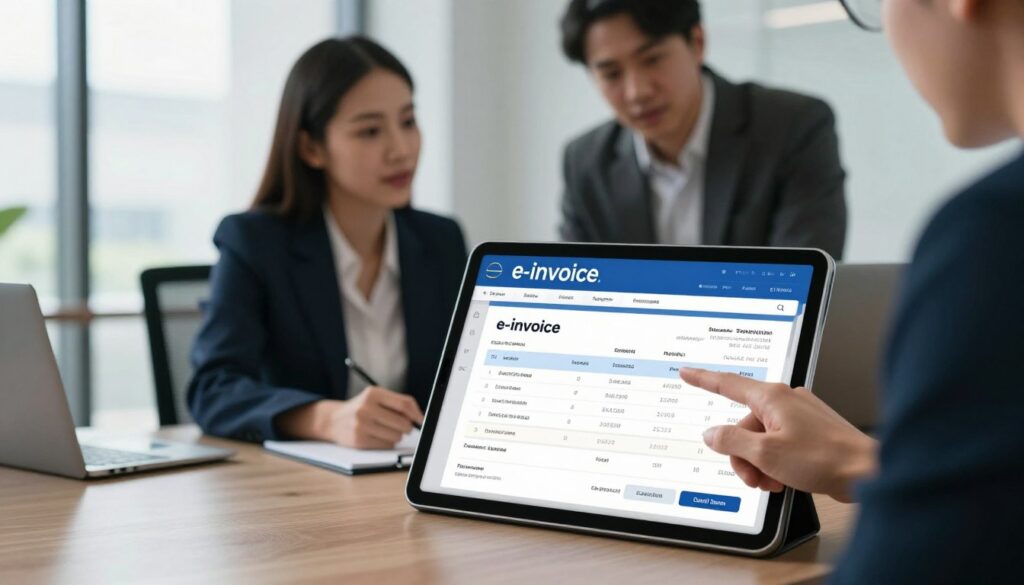
Clear mistake: waiting until your phase deadline to start implementation.
If you delay, data cleanup and workflow design get compressed. That causes rushed fixes and higher error rates.
Why small volumes and wrong codes still matter
Small transaction sets can trigger flags if classification codes, TINs, or totals differ from buyer records. A single mismatch can surface your business in a risk scan.
Wrong tax or item codes often start a chain: rejection → cancellation → reissue. That adds accounting rework and reconciliation delays.
Myth: only large companies get reviewed
Selection is risk-based, not size-based. Automated systems score anomalies across all companies. SMEs with inconsistent data can be chosen as easily as big firms.
| Risk trigger | What it does | Immediate effect |
|---|---|---|
| Incorrect code | Creates mismatch with buyer submission | Rejection or adjustment needed |
| TIN or identifier mismatch | Prevents ledger mapping | Audit flag; extra evidence requested |
| Assumed low risk (low volumes) | Fails to prioritise cleanup | Delayed fixes and higher exposure |
Practical takeaway: if you cannot reproduce and defend transaction records today, your risk rises—regardless of turnover.
Plan now by checking which turnover band applies to your firm. That knowledge should start your obligation planning and keep surprises away.
Know your 2026 obligation: who must comply and when
If your annual receipts sit between RM1m and RM5m, there are concrete steps to schedule.
Turnover bands and practical meaning
From 1 January, firms with turnover between RM1 million and rm5 million must adopt structured invoicing. Turnover means total taxable receipts over a year, not only a single client or project.
Using the grace period wisely
Grace runs until 31 December. That reduces penalties during transition but does not remove data visibility or the need for evidence.
Treat the year as a test window: system setup, data cleanup, staff training, and pilot runs. Avoid leaving everything to the last time block.
- Choose transmission method and align accounting.
- Run pilots, train teams, document exceptions.
- Create a readiness checklist matched to month-end cycles and e-invoicing malaysia guidelines.
| Requirement | What to do | Key note |
|---|---|---|
| Scope | Confirm annual turnover band | Includes rm5 million band |
| Transition | Use grace for pilots and cleanup | Focus on e-invoice implementation |
| Visibility | Map buyer-side risks | Self-billed records still affect compliance |
How Malaysia’s CTC e-invoicing process works end to end
Understanding each step in the CTC chain helps teams stop mistakes before they happen.
Creation: a seller builds an e-invoice with mandated entry fields — about 55 required tags. Manual entry here is the highest error risk, especially under time pressure.
Validation: the file is submitted to the inland revenue board via MyInvois or an API for real time checks. The revenue board malaysia runs structured rules and confirms format, tax codes, and identifiers before issuance.
Issuance and verification
After passing real time validation, the system embeds a QR code or digital signature. This mark proves authenticity, aids traceability, and speeds retrieval during reviews.
Retention and storage
Businesses must keep invoices and supporting documents for at least 7 years. Use structured storage so entries and search tags match ledger fields for fast evidence retrieval.
Simple flow to watch for errors
- Creation → validation → issuance → storage.
- Many entry fields raise manual error rates; automation reduces this risk.
- Real time validation means you cannot issue a final invoice until checks pass.
| Step | What is checked | Practical risk |
|---|---|---|
| Creation | All required entry fields (55 tags) | Typing errors, wrong codes |
| Validation | Format, TINs, tax codes (real time) | Rejection delays if mismatched |
| Issuance | QR/digital signature embedded | Invalid signature if pre-checks fail |
| Storage | Invoices and supporting documents | Slow retrieval if unstructured |
Next step: match your chosen transmission method to volume and speed needs to lower manual errors and improve turnaround.
Choose your transmission method: MyInvois portal vs API integration
Deciding between MyInvois and an API starts with volume and complexity. If your monthly invoice count is tiny and product lines are simple, manual entry through the portal can be workable.
When manual entry makes sense for low volumes
Use the portal if you send only a few invoices per month. It fits small customer lists and steady master data.
Pros: low setup effort and no developer time. Cons: more typing, higher error risk during busy periods.
When an API is safer for scale, speed, and fewer errors
An API integration reduces keystrokes and enforces consistent code mapping. That lowers rejections and speeds processing when volumes grow.
An e-invoicing solution or provider can pre-validate fields before submission, which makes easier consistent compliance across your process.
| Decision factor | Portal | API / Integration |
|---|---|---|
| Monthly volumes | Low (few invoices) | High or growing |
| Customer count | Small, stable | Many or changing |
| Tax complexity | Simple codes | Multiple tax types, complex mapping |
| Setup effort | Minimal | Higher up front, lower long term |
Practical point: pick the solution that reduces manual fixes, not just upfront cost. Whichever route you choose, align transmission with your ledger to prevent mismatches and rework.
Set up your accounting system to prevent mismatches and rework
Link your invoicing feed directly into ledgers to stop errors before they start. An integrated approach keeps your business books and invoice records aligned. That lowers manual fixes and speeds closing cycles.
Connecting invoicing to your accounting ledger to reduce double entry
Map invoice fields to ledger accounts and enforce a single master list for customers and products. Use the same tax codes across both platforms and lock master records to prevent drift.
Keeping customer, product, tax, and transaction data consistent
Many mismatches begin when an invoice is created in one place and posted elsewhere. Codes, totals, or names then drift over time and trigger flags.
- Map invoice tags to ledger accounts.
- Standardize tax codes and product SKUs.
- Govern master data so changes require approval.
Improving real time reporting and audit readiness
Integrated flows reduce double entry and speed reconciliation. When e-invoice records match accounting, explaining transactions to reviewers gets easier. You also gain clearer visibility on receivables and cash flow.
| Benefit | Practical effect | Why it matters |
|---|---|---|
| Single source | Fewer manual edits | Lower error rate at submission |
| Field mapping | Consistent codes and totals | Simpler audit evidence |
| Real time feeds | Faster reporting | Better cash and collection visibility |
Next: even with integration, field-level and format issues can still cause rejection. Section 11 covers the specific fields and codes that trigger errors.
Build clean e-invoice data: the fields, codes, and formats that trigger rejection
A small format error can block an entire submission in seconds. Systems validate structure first, so JSON or XML non-compliance stops issuance before any other checks run.
JSON or XML structural compliance
Follow the exact hierarchy and required tags. If a missing node or wrong data type appears, the feed is rejected. Enforce schema checks in your pre-submit process.
TIN accuracy, addresses, totals, and tax details
High-failure fields: TIN mismatches, incomplete addresses, incorrect totals, and inconsistent tax breakdowns.
- Validate TIN format against master records.
- Check address fields for required elements and country codes.
- Reconcile line-item math to invoice totals before submission.
Currency codes, tax type codes, and duplication controls
Use ISO currency codes and approved tax type codes for each line. Mis-coded currencies or tax types create mismatches, especially for cross-border sales.
Prevent duplicates by locking invoice numbers and tracking unique identifiers across systems.
Digital signature and QR code handling
Embed the exact QR or signature returned after validation. Re-using or altering that code invalidates issuance and forces cancellation.
Quick checklist: schema valid, TIN correct, addresses complete, totals balanced, currency/tax codes verified, no duplicate number, QR/signature matched.
Many rejections stem from human-process gaps. Design clear roles for entry, approval, and pre-validation to keep e-invoicing requirements and recordkeeping aligned.
Design a submission flow your staff can actually follow
A clear submission flow keeps staff calm and reduces costly rework. Start with a short, written sequence that shows who does what at each stage.
Defining responsibility and approvals
Assign roles and a lightweight approval path
Define who creates an invoice, who verifies customer and tax details, who submits via MyInvois or API, and who handles exceptions.
Keep approvals proportional: require extra checks for high-value or unusual invoices, but avoid blocking low-risk entries.
Pre-validation checks to reduce rejections
Introduce simple pre-submit checks: TIN verification, totals reconciliation, tax code validation, and duplicate detection.
Automate these where possible so staff focus on exceptions rather than repetitive fixes.
Monitor consolidated and high-frequency submissions
Track bulk or consolidated submissions for timeliness and completeness. Reconcile POS and eCommerce feeds to avoid late or incorrect reporting of transactions.
For high-frequency work, combine automation with clear SOPs and short training sessions so staff understand why each step exists.
- Tip: document the flow, run short pilots, and update processes after real use.
Train staff to reduce e-invoice mistakes that cause rejection or cancellation
Short, scenario-based drills help teams respond calmly to rejections. Train staff early so common errors get caught before submission. Practical practice beats last-minute panic.
Billing, accounting, and customer-facing teams: what each must know
Break training into team-specific modules. Keep sessions short and focused so learning sticks.
- Billing: field accuracy, correct codes, unique invoice numbers.
- Accounting: ledger alignment, reconciliation steps, where to find supporting documents for audits.
- Customer-facing: how to explain a rejection or cancellation and what to ask buyers for.
What officers may ask employees to explain during a review
During a compliance review, officers often interview staff and request records. Confusion can look like a compliance gap.
- How invoices are generated and who approves them.
- Steps for correcting errors and who signs off on cancellations.
- Where invoices and supporting documents are stored and how to retrieve them fast.
Quick tip: run short drills before go-live that simulate rejection and cancellation. Keep a simple rulebook for the 72-hour windows so everyone answers consistently under pressure.
Handle exceptions the right way: rejection, cancellation, and adjustments
Handle invoice exceptions with a simple, time-aware routine to stop small errors from growing into reviews.
The 72-hour buyer rejection window and valid reasons
Buyers may request rejection within 72 hours after validation. That clock starts from the validation timestamp, so teams must track that date and time for each record.
Track validation timestamps in your inbox or system feed. Set an alert for 48 hours to review possible disputes before the window closes.
- Common valid reasons: wrong customer details, mismatch to agreed terms, PO misalignment, incorrect tax details, or late delivery.
The 72-hour supplier cancellation window and documentation needed
Suppliers get 72 hours to cancel a validated entry with justification. Typical reasons include duplicate issuance, discovered data errors, buyer requests, or new regulatory facts.
Document every step: who requested cancellation, why, supporting evidence, and resolution actions. Keep timestamps and approval notes with the original records.
When to use credit notes, debit notes, and refund notes after the window
After both windows close, adjustments must use credit, debit, or refund notes rather than cancellation.
Use a credit note to reduce a past invoice. Use a debit note to increase amounts legitimately missed. Issue a refund note when money has already been paid and must be returned.
| Action | When to use | Accounting & payment effect |
|---|---|---|
| Cancel (within 72 hrs) | Duplicate or clear data error | Removes validated record; no separate payment adjustment if not paid |
| Credit note (after window) | Price reduction or returned goods | Reduces receivable; adjusts payment reconciliation |
| Debit note (after window) | Under-billed items found | Increases receivable; triggers additional payment |
| Refund note (after payment) | Overpayment or returned services | Produces a payable; requires bank/payment evidence |
Audit-readiness tip: exception handling is where mismatches and missing documents first appear. Keep clear notes, attach supporting files, and store every related document with the original invoice and ledger entry for fast retrieval.
Get your documentation and audit trail review-ready
Make your audit trail a daily habit, not a last-minute panic task. Good records show how transactions link across your operations. That clarity makes interviews and evidence requests simple to handle.
Sales, purchases, ledgers, and invoice alignment
Alignment triangle: invoices ↔ ledger postings ↔ bank/payment evidence. Each corner must match.
- If invoice totals differ from ledger entries, questions follow.
- If ledger entries lack matching bank receipts, officers will probe.
- Clear links stop small issues turning into full reviews.
What to keep ready
Have a tidy set of sales and purchase records, general ledger extracts, archived invoices, and adjustment notes. Keep supporting contracts and delivery proofs with each invoice.
- Sales records and purchase records
- General ledger extracts and trial balances
- Invoice archives, credit/debit notes, and refund documentation
- Bank statements and payment evidence
Reconciliation, storage, and fast retrieval
Run simple reconciliation routines weekly for high-volume items and monthly for overall books. Regular checks reduce stress when a review notice arrives.
Structured digital storage: consistent file naming, searchable indexes by date, customer, and invoice number, and role-based access in one secure system.
Fast retrieval cuts operational disruption and helps staff answer questions confidently. Being review-ready turns a surprise notification into a manageable project plan.
What to do if you receive an LHDN notification letter for a compliance review
A revenue board letter starts a short, formal process. LHDN gives at least 14 calendar days’ notice before a visit. Typical on-site reviews take one to three days and may cover up to two years of assessment.

How to read the letter and immediate checklist
Confirm visit dates, which years are listed, requested documents, and assigned officers. Then:
- Appoint a point of contact.
- Freeze ad-hoc system changes and avoid last-minute edits to records.
- Gather requested files and prepare secure system access or extracts.
What officers may request
Expect document copies, system exports, data extraction, premises entry, and interviews with staff or directors. Be ready to show workflow steps and evidence for key transactions.
Possible outcomes and objection rules
Classifications: compliant, non-compliant, or exempt. Selection alone does not imply guilt; many businesses pass after review.
If findings appear, you have 18 calendar days to object with supporting evidence. No response can be treated as agreement and raises risk of penalties or prosecution.
Understand penalties and legal exposure before you gamble on delays
Penalties can move a late rollout from an admin headache to a criminal exposure. Regulators treat failures to issue proper invoices and e-invoice records as more than clerical errors.
Fines and potential imprisonment for record failures
For not issuing serial-numbered invoices above thresholds, penalties run from RM300 to RM10,000 and may include up to 1 year imprisonment.
For failure to issue required e-invoice entries — including self-billed, consolidated, or late submissions — fines range from RM200 to RM20,000 and may include up to 6 months imprisonment.
Review window versus prosecution exposure
Routine reviews typically examine up to two years of records. Prosecution exposure, however, can extend up to twelve years from the year of the offense.
- Common triggers: missing or wrong format, late submission, self-billed errors.
- These are not mere paperwork fines — imprisonment, reputational harm, and costly remediation follow.
- Delaying is a gamble: detection tools improve over time while your preparation time shrinks.
Act now: treat 2026 as a planning deadline. Early implementation, clean records, and controlled processes give the best chance to avoid tax and compliance risk.
Conclusion
Prepare now: connected feeds mean exposure can occur before you issue a single invoice, so late starts are risky.
Follow a short roadmap: confirm your obligation, learn CTC steps, choose portal or API, link invoicing to ledgers, standardize master data, train staff, and document exceptions. These steps cut errors and speed responses to any inland revenue board queries.
Remember the visibility trap: buyer-side submissions and self-billed e-invoice records can surface your firm in board malaysia systems even if you haven’t completed e-invoice implementation.
Pick an e-invoicing solution or internal integration that makes easier accuracy at volume. Success is clean, defensible records that align invoices, ledgers, and payments so a compliance review feels manageable, not disruptive.
Early preparation improves operations and eases future enforcement pressure across e-invoicing malaysia.